MARKETS SYDNEY TOKYO LONDON NEW YORK
LIVE
--:--:-- UTC
FX
[ FETCHING RATES... ]
◆ EUR/USD ◆
// LIVE FEED //
[ SCANNING FREQUENCIES... ]
// MARKET BIAS //
[ ANALYZING... ]

5 DMA (6.5 US hours)


When traders talk about “5 DMA (6.5 US hours)”, they usually mean the 5-day moving average calculated on a 6.5-hour US trading day (the length of a regular session on exchanges like NYSE or NASDAQ: 9:30 AM – 4:00 PM ET).

Here’s why it’s often considered “powerful” in technical analysis:

🔑 1. Captures a Full Trading Week

A 5-day moving average represents exactly one week of market activity.

Since U.S. markets run 6.5 hours/day, this average smooths out short-term noise while still being highly responsive.

So 5 DMA would be a 5-day moving average, meaning the average of the last 5 days’ prices (often closing prices).

This notation is likely pointing out that the moving average is based on 6.5 hours of trading per day (i.e., regular market hours, excluding pre-market and after-hours trading).

It’s the quickest "true" weekly rhythm indicator.

🔑 2. Short-Term Trend Gauge

Price consistently above the 5 DMA → strong bullish momentum.

Price consistently below the 5 DMA → bearish pressure.

It’s often used by swing traders and intraday traders to judge if the immediate trend favors long or short positions.

🔑 3. Dynamic Support & Resistance

Many traders and algos watch the 5 DMA closely.

That self-fulfilling behavior makes it act as a “gravity line”—prices bounce around it or use it as short-term support/resistance.

🔑 4. High Sensitivity Without Too Much Noise

Shorter averages (like 3 DMA) can be too volatile.

Longer averages (like 10, 20 DMA) lag too much for short-term trading.

5 DMA hits the sweet spot—fast enough to catch trend changes, but smooth enough to filter intraday randomness.

🔑 5. Institutional Use

Many hedge funds and prop desks monitor 5 DMA crossovers with slightly longer averages (like 10 or 20 DMA).

These crossovers often trigger systematic buy/sell flows, amplifying the effect.

✅ In short:

The 5 DMA on 6.5-hour sessions is powerful because it reflects a full trading week of data, reacts quickly to trend shifts, and is widely followed by both retail and institutional traders—making it a kind of short-term market “pulse.”

pairing the 5 DMA with a slightly longer one gives you a simple but powerful system.

Here’s how 20 vs. 21 DMA differ, and which might suit you better:

📊 20 DMA

Why it’s popular:

Represents roughly one trading month (20 sessions ≈ 4 weeks).

One of the most widely tracked moving averages by institutions.

Best for:

Swing trading and identifying the medium-term trend.

Classic setup: 5 DMA crossing above 20 DMA → short-term strength inside a medium-term uptrend.

Works well when you want to align short-term moves with the broader monthly rhythm.

📊 21 DMA

Why it’s used:

Represents exactly 3 weeks of trading (21 sessions ≈ 1 month including weekends).

Many traders like it because it ties into Fibonacci numbers (21 is in the Fibonacci sequence).

Best for:

Traders who want a slightly smoother version of the 20 DMA.

Often used by swing and position traders who prefer a more “natural cycle” feel.

Which to Choose?

If you want more mainstream signals and institutional confluence → 20 DMA.

If you’re a Fibonacci or cycle trader, or you want slightly smoother reactions → 21 DMA.

👉 Many traders test both and find that results are almost identical — but the 20 DMA tends to attract more attention from big money, which can make price reactions around it stronger.

🔥 Pro tip:

Use 5 DMA + 20/21 DMA crossovers for signal generation.

Use 200 DMA as the “big picture” filter (only take longs if above, shorts if below).

Table: 5DMA Equivalent Candle Count by Timeframe

Timeframe Candles per Day 5DMA = Candles Over 5 Days

1-Min 390 1,950 candles

5-Min 78 390 candles

15-Min 26 130 candles

30-Min 13 65 candles

1-Hour 6.5 (≈6) 33 candles (rounded)

4-Hour 1.625 (≈1–2) 8 candles (rounded)

1-Day 1 5 candles

90% Of New Traders, Lose 90% Of Their Starting Capital, within Just 90 Days.


There are, probably around 75% that don’t make it as traders depending on who you ask. I would think it’s a matter of attitude towards speculation as trading is. 

It looks easy when beginners study past price action, trending up and down, how can you lose after you did so well in demo trading? 


It’s a different game when you are at the right hard edge with nothing but an empty chart staring at you and you will decide if you will put your money at risk. 

Risk your money into the future that has not happened yet. A common trick in trading is painted bars. The market makers who have the software that print the price bars manipulate it to arrange the price bars in a way that the chaos is replaced by bars that show predictable price action like there is nothing to it.

They even add a bar that doesn't exist in the first place, by painting one into the future and make it appear at the present to make room for the next, genuine bar. Then you have fake moves, stop loss hunting, liquidity traps that stop you out with losses. 

The big money needs your money to create the liquidity they need when the market opens and liquidity can be low. Without it their enormous positions will move the price to their disadvantage and reveal at what price they are buying or selling which will attract others and the price will move. 

Essentially, given what we know about the power of institutional order flow as discussed in the BIS report it makes sense that we would look to trade in the same direction as these major institutions and essentially piggyback their order flow.


The chart above shows the Non-Commercial positioning in GBPUSD going back to 2012 with the Yellow line representing price and the shaded blue region tracking positioning.  When the blue shaded region (positioning) crosses above the center line, it represents a net-long position, and when it crosses below the center line it represents a net-short position. The red circles highlight periods when positioning flipped from long to short and the green circles highlight period where the positioning flipped from short to long.

Of the eight times positioning crossed over 6 resulted in the development of a significant trend. This is incredibly valuable information to have, and the opportunities it can afford should be clear. Looking to trade in the same direction as Non-Commercial players can help individual traders catch major trends.


Another chart that clearly demonstrates the power of this data is the USDJPY chart showing the JPY positioning. This time, the data is inverted so the positioning tracks JPY but price shows USD movement. So if JPY positioning is going down,  as shown by the first red circle, then USD should be going up and vice versa.

COT Data

Fortunately, The CFTC compiles weekly Commitment of Traders data reports on the positioning of participants in the currency futures markets, data which translates directly into the spot FX markets.

The data tracks the positioning of Non Commercial players (banks and institutions) as well as Commercial players (Corporates) and Private clients. The weekly report released each Thursday/Friday references the positioning of these players over the weekly period from the Tuesday of the previous week to Tuesday of that week.

The report is long and complicated for new traders, though fortunately many websites now present the data taken from those reports in neat visual graphics updated each week.

We all like the concept “buy low, sell high” - “sell high, buy back low”(when you short the market) and the big players are no different. The only way to solve it used to be to play in the same direction as the big players, then you win. Trading against the big players via all the traps they arrange for you is a dead end. 

But with the coming of AI and the bots that are already here, HFT-High Frequency Trading is no longer available only to the pros.


Trump’s Influence on Crypto


As money continues to pour into crypto following Donald Trump’s victory last week, bitcoin has climbed to yet another record high.

Bitcoin Reaches Historic $90,000 Level: Bitcoin surged this week, testing an unprecedented resistance level near $90,000, before easing slightly on Tuesday. The excitement stems from increased confidence after Donald Trump’s election win and anticipated pro-crypto policies.

Crypto Price Update: Bitcoin’s price currently hovers at $87,845, with slight retracements as traders sentiment normalizes. Ethereum, the second-largest cryptocurrency, saw a recent rally to $3,430 but has now settled around $3,174.

Trump’s Influence on Crypto: Trump's victory is fueling optimism in the crypto space. He has pledged to make the U.S. a "crypto capital," planning policies to boost high-risk assets like Bitcoin. His stance could support a friendlier regulatory environment and further growth in the crypto market.

Potential National Bitcoin Stockpile: Trump has announced plans to establish a national Bitcoin reserve, which would lend Bitcoin added credibility as a legitimate investment vehicle.

Inflation Data in Focus: With the focus now shifting to upcoming U.S. inflation data, market watchers are eager for cues on how Trump's policies could influence economic growth and inflation.

Geopolitical Impact: Escalating tensions in the Middle East, particularly between Israel and Hamas, are driving a cautious sentiment among investors, reducing demand for high-risk assets like cryptocurrencies.

Investors are showing enthusiasm for the "Trump-trade" in advance, with anticipation high for a pro-crypto stance in the upcoming administration. Many from Trump's close circle, including Vice President-elect JD Vance, are known crypto supporters, hinting at a positive direction for cryptocurrency.

Retrieve Blogspot Security CNAME Record


Here's how you can check your security CNAME record, generated for a specific Google account and domain:


Click on [Search property]


Select your Domain or URL property (the one for the root domain, without www)

If you do not have one you can create new

Scroll down the left sidebar

Click on the Settings tab

Select Users and permissions


Click the three dots next to the email marked as "(you)" (More actions on the right)

select Ownership verification details


Copy your Domain name provider details

Add that unique CNAME record (DNS settings at your domain provider) example at Cloudflare/Cloudns/Hurricane Electrics

Wait ~15-60 minutes


Economic Calendar Widget

Get That Linux Feeling on Windows


Cygwin is a collection of tools developed by Red Hat to provide similar behavior to Unix systems on Microsoft Windows

It is awesome you can get that Linux feeling on Windows many others would to love it, and if I couldn't install Linux for some reason, I'd probably spend my entire life in Cygwin.


It is a way to run native Linux apps on Windows a Linux-like environment on Windows. You must rebuild your application from source if you want it to run on Windows in a way to magically make native Windows apps aware of UNIX® functionality like signals, ptys, etc. Again, you need to build your apps from source if you want to take advantage of Cygwin functionality.


Cygwin was originally developed by Cygnus Solutions, which was later acquired by Red Hat since 2000. Cygwin is a UNIX environment for Windows that's maintained by Red Hat and other vendors. 

POSIX compatibility library for Windows, a toolchain (compiler, linker, assembler, debugger, etc.) built around that library. Cygwin gives you a Unix-like environment on Windows. It consists of a DLL (cygwin1.dll), which acts as an emulation layer. It has a lot of standard tools you'd encounter in a Linux or BSD system. 


If you are a coder, stacks Dev you'll required for a tool that allows easy porting of many Unix programs without the need for extensive changes to the source code.

Features:

The main advantages of using Cygwin are:

Ability to compile programs for Linux (eg, those that use POSIX libraries). This is very useful for learning to program because Windows is the only major OS lacking POSIX compatibility (in some versions of Windows, anyway).

Overview :

Run Linux programs: Users can interact with Cygwin through a Unix shell, such as bash, tcsh, or zsh, and issue Unix commands like grep, mkdir, and chmod.

Running Irssi as a modular IRC client with Perl scripting. 

Create a Linux server: Cygwin can be used to create a Linux server and run such Perl/Pyhton/Ruby etc from the libraries

Compile and run Unix-like source code: Cygwin allows users to compile and run source code for Unix-like operating systems on Windows to make an extensively used of a gcc (gcc-g++, specifically), there's a "make" package.

Best Browsers Ad Blockers

 Adblock for Youtube™


Features:

 + blocks ads, banner and popups
 + blocking of ads on external sites which load Youtube
 + prevent preroll ads from loading on Youtube
 + you can also remove annotations from videos and musics (see options page).
 + loads videos and YouTube website faster.

Overview

Removes ads from Youtube™.

✓ Permissions: like common ad-blocking extensions we do need default permissions on every website to remove ads or popups for example on embedded videos and Youtube itself.

ⓘ About
Adblock for Youtube™ is a content filtering and ad blocking browser extension which blocks all ads on Youtube™.
It allows users to prevent page elements, such as advertisements, from being displayed. 
Banner, Ad-Clips or even preroll ads you usually see before the actual video on Youtube are blocked by this extension.

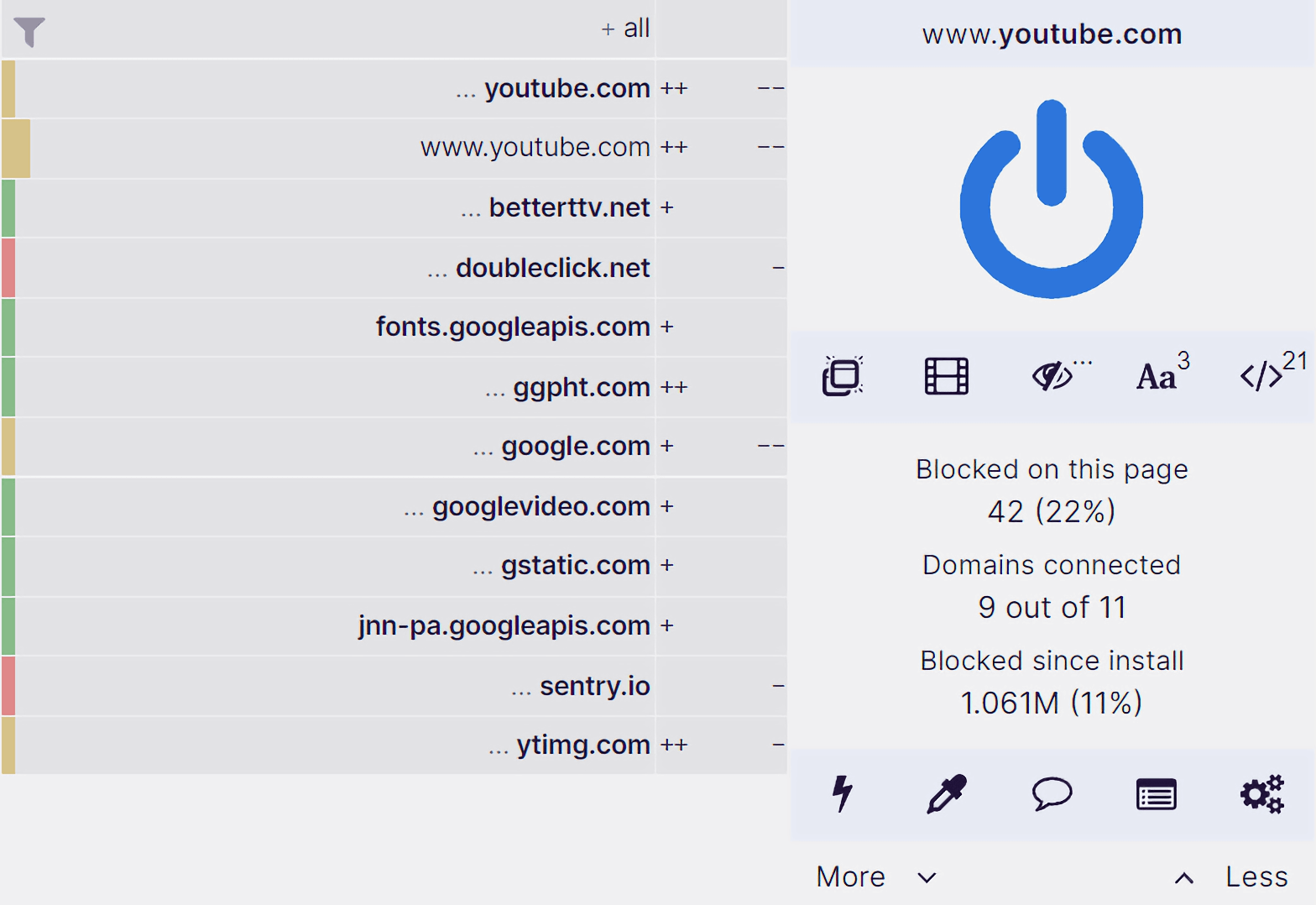
uBlock Origin


Overview

Finally, an efficient blocker. Easy on CPU and memory.

IMPORTANT: uBlock Origin is completely unrelated to the site "ublock.org".

uBlock Origin is not an "ad blocker", it's a wide-spectrum content blocker with CPU and memory efficiency as a primary feature.

***
Out of the box, these lists of filters are loaded and enforced:

- uBlock Origin filter lists
- EasyList (ads)
- EasyPrivacy (tracking)
- Peter Lowe’s Ad server list (ads and tracking)
- Online Malicious URL Blocklist


More lists are available for you to select if you wish:

- Annoyances (cookie warnings, overlays, etc.)
- hosts-based lists
- And many others

uBlock Origin is not just an “ad blocker“, it's a wide-spectrum content blocker with CPU and memory efficiency as a primary feature.

In 2014 uBlock Origin’s founder, original author and lead developer, Raymond Hill, created the original uBlock extension, with its development initiated by forking the codebase of HTTP Switchboard with a separate blocking extension, uMatrix, which had been previously designed for advanced users. 

Free.

Open source with public license (GPLv3)
For users by users.

If ever you really do want to contribute something, think about the people working hard to maintain the filter lists you are using, which were made available to use by all for free.
[ NO POSTS FOUND ]
// LIVE STREAM //
WRCAAM — BLACKANGEL RADIO
VOL 80%
// STANDBY //
// EQUALIZER //
0dB
32Hz
0dB
64Hz
0dB
125Hz
0dB
250Hz
0dB
500Hz
0dB
1kHz
0dB
2kHz
0dB
4kHz
0dB
8kHz
0dB
16kHz